Drink the Ocean Multiplayer Guide on Mana
Open Drink the Ocean on Mana in a desktop browser with a keyboard and mouse. One player hosts, and friends join with a four-letter room code. Mana lists support for up to four players.
How to host a room
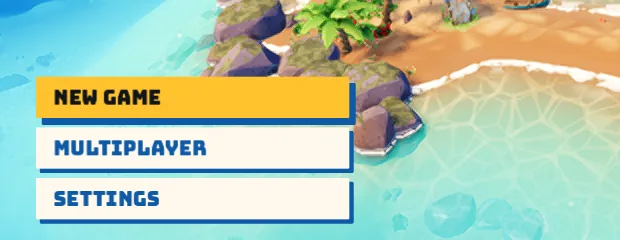
- Wait for the title screen, then select Multiplayer in the lower left. Choose Host Game.
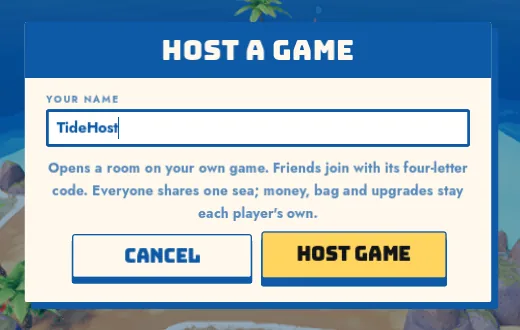
- Type a display name in Your Name, then select Host Game again.
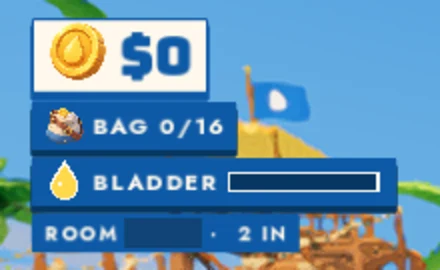
Once you reach the island, look in the upper left, just below Bladder. Send your friends the four letters after Room and keep the game open.
How to join a friend
- Open the same Mana game and select Multiplayer, then Join Game.
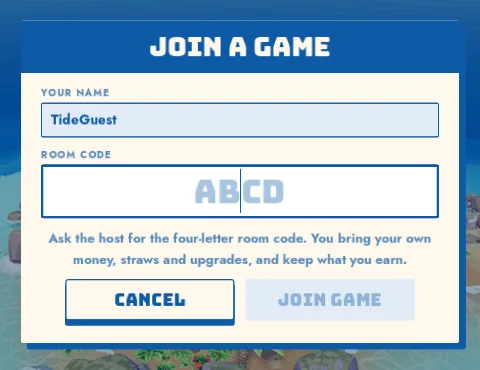
- Enter your display name under Your Name. Replace the ABCD placeholder under Room Code with the four letters your host sends you, then select Join Game.
Wait for the island to load and ask the host to check that their player count went up. If your view is filled by another player's raincoat, use WASD to step aside. We landed in the same spot when we tested this.
Take your first sip together
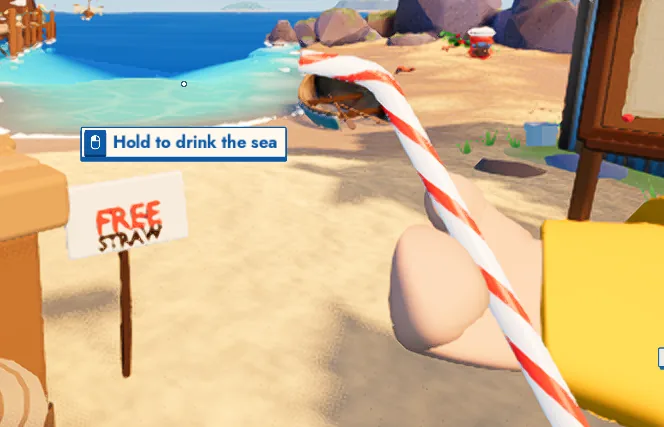
At the starting dock, look for the Free Straw sign. Press E when you see Take the straw. Once the straw is in your hand, walk toward the water, aim at it and hold the left mouse button to drink. If you see Out of range, step closer to the water.
Everyone works on the same sea. Each player's money, bag and upgrades stay their own.
If you get stuck
- If the download stops, select Try again on Mana's loading screen. That worked for the second player in our test. See Mana's browser and graphics support if it keeps happening.
- If you can't join, ask the host to read the code from their current Room line and check that their game is still open.
- If you see a PRESS machine and salt upgrades, you're in the Pinidi Studio game. Use Mana's game page for multiplayer.
We tested hosting, joining and picking up the first straw in two desktop Chrome tabs. The screenshots are from that session.